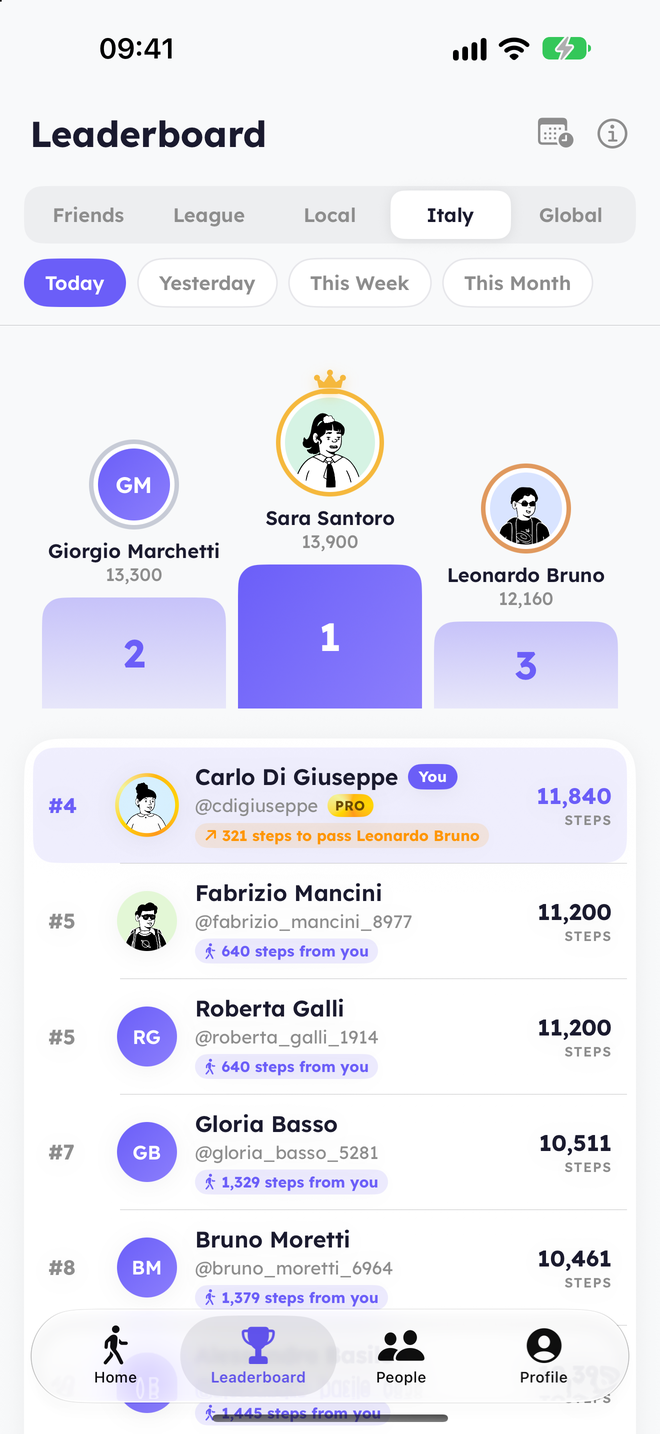
A step challenge among friends or coworkers is one of the simplest ways to get a group moving. With WalkRace you don’t need a spreadsheet, a group chat full of screenshots or someone keeping score: everybody walks, the app ranks.
How to Set It Up in WalkRace
- Everyone installs WalkRace and connects Apple Health. It takes a minute and needs no GPS.
- Everyone follows everyone. Search people by name or username in the People tab, or share your profile link. When two people follow each other they appear in each other’s Friends leaderboard.
- Pick the period. The Friends leaderboard can show today, yesterday, this week or this month. Agree on one and you have your challenge.
That’s it. Every phone shows the same leaderboard, updated as people sync their steps.
Which Format to Choose
The daily race
Who walks the most today? It resets at midnight, so nobody falls too far behind and everybody can win a day. WalkRace’s Home is built around it: each person sees their position and the steps to the next overtake.
The week
Use the This Week view of the Friends leaderboard. Good for teams: a bad Monday can be recovered by Friday.
The month
The This Month view rewards consistency over sprints. Ideal for workplace wellness initiatives.
Head to head inside the group
Anyone can tap a colleague to see the last seven days, you against them: days won and total steps. Rivalries inside the group keep it lively.
Rules That Keep It Fair
- Only steps from Apple Health count, and days with implausible totals are excluded from rankings.
- Different fitness levels? Look at days won in head-to-head comparisons as well as totals, and remember that the weekly leagues already match each person with walkers at their level.
- Privacy: people can keep a private profile. Only friends who follow them back see their steps, and nobody’s routes are ever tracked.
10 Ideas for Your Group
- Lunch-break league: most steps between Monday and Friday wins coffee.
- The comeback: whoever climbs the most positions this week picks the next team lunch.
- Office vs office: two sites, two groups, compare totals at the end of the month.
- Streak club: everyone hits their daily goal for 7 days in a row.
- The Sunday push: the week’s leaderboard closes on Sunday night; plan a group walk that afternoon.
- Rainy-day challenge: the most steps on the worst-weather day of the month.
- Head-to-head pairs: draw pairs, each pair compares their last seven days on Friday.
- Team average: split into two teams and compare the average of each team’s monthly steps.
- New-joiner welcome: newcomers race the team for their first week.
- Charity month: every 100,000 group steps unlock a donation.
Frequently Asked Questions
Do we need to create a group in the app?
No. Following each other is enough: the Friends leaderboard is your group.
Can a whole office use it?
Yes. Everyone follows the colleagues they want to race; the friends, city and country leaderboards work for any number of people.
Does anyone see where we walk?
No. WalkRace never tracks routes or GPS; it only syncs each person’s daily step total.
See WalkRace in Action
Real-time 1v1 step duels and live leaderboards, right on your iPhone.