If you just want to know how much you walk each day, you don’t need GPS. Your iPhone already counts every step with its built-in motion sensors, all day, whether or not any fitness app is open. A pedometer app only has to read those numbers.
Yet plenty of step tracker and mileage tracker apps still ask for “Always” location access. This guide explains how step counting without GPS works, what it costs your battery when an app does use GPS, how accurate distance is without it, and what to look for in a battery-friendly pedometer.
How iPhone Counts Steps Without GPS
Every recent iPhone and Apple Watch has a low-power motion coprocessor that reads the accelerometer continuously and recognizes the rhythm of walking and running. It runs in the background at a tiny energy cost, and the results land in the Apple Health app as your daily step count.
That has three consequences:
- Steps are counted even if no app is running. You can install a pedometer app today and still see last month’s steps.
- It works indoors. Offices, malls, treadmills, underground stations: anywhere GPS has no signal, the motion sensors keep counting.
- No app needs your location to show your steps. Reading step data from Apple Health requires your permission for health data, not location.
If you wear an Apple Watch too, Apple Health merges the two sources and avoids counting the same steps twice.
Why GPS Trackers Drain the Battery
GPS is great for one thing: drawing the exact route of a run or a hike. To do it, the phone has to keep its satellite receiver active and process position fixes every few seconds. Running that all day is one of the more expensive things you can ask an iPhone to do.
An app that tracks your location continuously, rather than only during a recorded workout, typically shows:
- Higher battery drain, visible in Settings → Battery as a large share of background activity.
- A warmer phone during long sessions.
- The blue location arrow in the status bar, even when you’re not exercising.
For counting daily steps none of this is necessary. GPS adds a map of your day, not more steps.
Mileage Without GPS: How Accurate Is Step-Based Distance?
Without GPS, distance is estimated by multiplying your steps by your stride length. It is a good estimate, not a survey-grade measurement:
- For everyday walking, step-based distance is usually close enough to answer “how far did I walk today?”.
- It’s less accurate when your stride changes a lot: running, hiking uphill, walking with a stroller or on a treadmill at an unusual pace.
- It gets better over time. iPhone calibrates your stride length when you walk outdoors with Motion Calibration & Distance enabled (Settings → Privacy & Security → Location Services → System Services). This uses location occasionally in the background to improve the estimate, without any app tracking your routes.
If you need the exact distance of a specific run, start a GPS workout for that run only. For all-day mileage, step-based distance is the battery-friendly choice.
Privacy: What a GPS Tracker Knows About You
A continuous location history is far more personal than a step count. It shows where you live, where you work, when you leave home and where you spend your evenings. Even when an app means well, that data can be stored, shared or leaked.
A pedometer that doesn’t use GPS simply never has that information. There is nothing to protect because there is nothing collected.
What to Look For in a Battery-Friendly Pedometer App
Before installing a step counter, check:
- Permissions it asks for. It should ask for access to Steps in Apple Health. If it asks for “Always” location to count steps, that’s a red flag.
- Background activity. After a day of use, look at Settings → Battery. A pedometer that only reads Apple Health should barely appear.
- Data source. Apps that read Apple Health show the same numbers as the Health app, including steps from your Apple Watch, and keep working if you change phones.
- Widgets and watch support. Being able to glance at your steps on the Home Screen, Lock Screen or wrist means you open the app less, which also saves battery.
How WalkRace Tracks Steps Without GPS
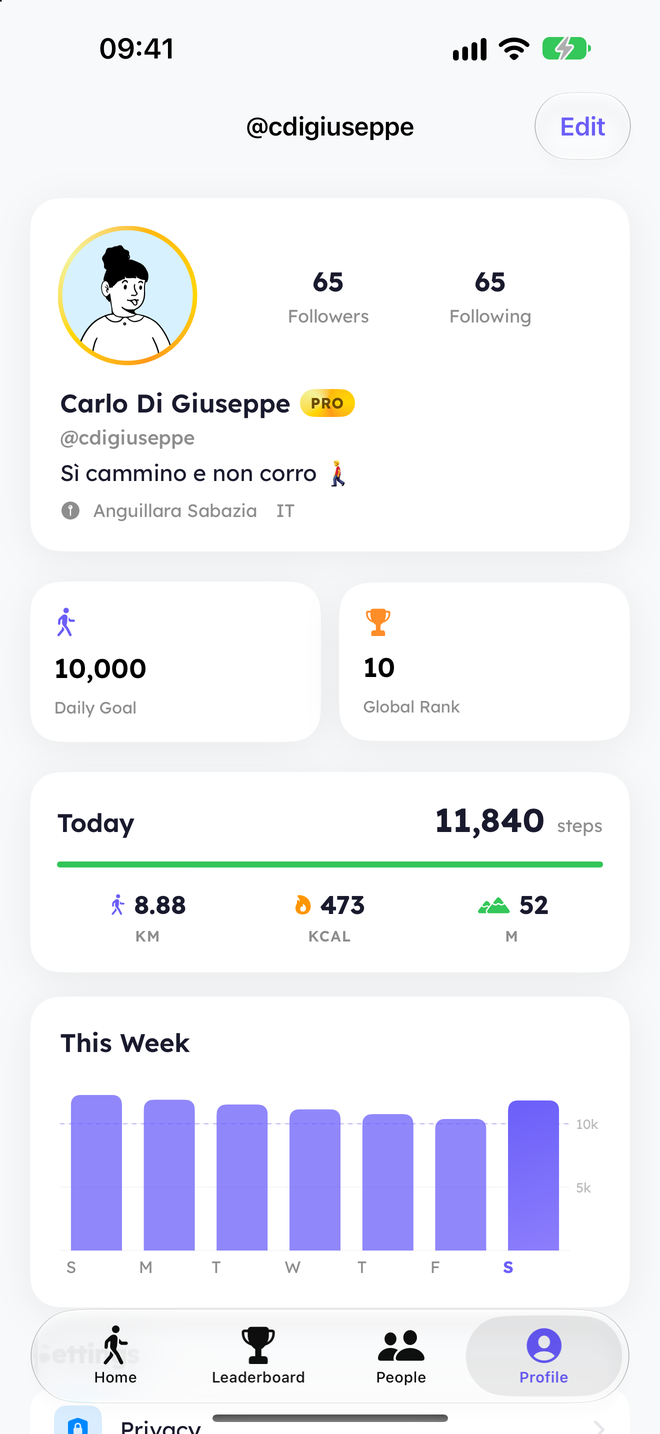
WalkRace is a step counter built around competition (a daily race with the people you follow, leaderboards and weekly leagues) and it was designed from day one not to track your movements:
- Steps come from Apple Health, the same numbers counted by your iPhone and Apple Watch. There’s nothing to start or stop.
- No route tracking. WalkRace never records where you walk.
- Your city, not your position. To place you on the local leaderboard, WalkRace needs to know which city you live in. It can detect it once with a coarse, kilometer-level location, and that’s it: no background tracking.
- Distance and calories are estimated from your steps, so they cost no extra battery.
- Widgets, Lock Screen and Apple Watch show your position in today’s race and the steps to the next overtake at a glance.
Frequently Asked Questions
Can a pedometer app work without GPS?
Yes. iPhone and Apple Watch count steps with motion sensors, not GPS. A pedometer app only needs permission to read your steps from Apple Health.
Does a step counter app drain the battery?
One that reads steps from Apple Health uses very little battery, because the counting is done by the phone’s low-power motion coprocessor. Apps that track your location continuously with GPS use much more.
How does iPhone measure distance without GPS?
It multiplies your steps by your estimated stride length. The estimate improves when you walk outdoors with Motion Calibration & Distance enabled in Location Services.
Is step counting accurate indoors and on a treadmill?
Step counting works indoors because it doesn’t depend on satellites. Distance on a treadmill can be less accurate if your stride differs a lot from your usual walk.
Do I need an Apple Watch to count steps?
No. The iPhone counts steps on its own when it’s in your pocket or bag. An Apple Watch adds the steps you take while the phone is on your desk.
Does WalkRace use GPS?
No. WalkRace reads your steps from Apple Health and doesn’t track your routes. It only uses an approximate location to find your city for the local leaderboard.
See WalkRace in Action
Real-time 1v1 step duels and live leaderboards, right on your iPhone.